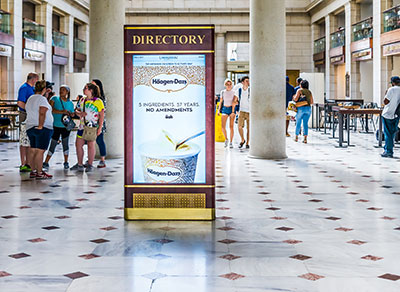
If you manage a commercial or residential building in the Clayton area of Missouri, you need an easy-to-use directory sign. Directory signs are indispensable for helping visitors find the people or business they came to see at your Missouri property.
Uses for Directory Signs
From office buildings in Clayton, to shopping areas in Brentwood, to apartment complexes in Kirkwood, directory signs ensure a quick, frustration-free experience for visitors trying to find the business or office they need.
Types of Directory Signs
Analog directory signs are the traditional and less expensive option. Analog directory signs are great for properties with a modest number of tenants, such as a mid rise apartment building in Maplewood. For larger properties, such as a tall condo or office building in Clayton, digital directory signs are more effective at displaying all the necessary information, and they are easily reprogrammed. Sometimes it’s best to include a map on your directory sign, if you manage a mall, for example.
Why Choose us for Directory Signs in Clayton, MO?
We make durable and easy-to-read directory signs. We can advise you on what type of directory sign is best for your property. We dedicate time to consult with all our clients to arrive at the perfect design for every sign we make, including directory signs. We are happy to manufacture and install directory signs for clients in Brentwood, Clayton, Maplewood, Webster Groves, Kirkwood, and nearby areas throughout St. Louis. Please contact us to learn more.

Contains information related to marketing campaigns of the user. These are shared with Google AdWords / Google Ads when the Google Ads and Google Analytics accounts are linked together.
90 days
__utma
ID used to identify users and sessions
2 years after last activity
__utmt
Used to monitor number of Google Analytics server requests
10 minutes
__utmb
Used to distinguish new sessions and visits. This cookie is set when the GA.js javascript library is loaded and there is no existing __utmb cookie. The cookie is updated every time data is sent to the Google Analytics server.
30 minutes after last activity
__utmc
Used only with old Urchin versions of Google Analytics and not with GA.js. Was used to distinguish between new sessions and visits at the end of a session.
End of session (browser)
__utmz
Contains information about the traffic source or campaign that directed user to the website. The cookie is set when the GA.js javascript is loaded and updated when data is sent to the Google Anaytics server
6 months after last activity
__utmv
Contains custom information set by the web developer via the _setCustomVar method in Google Analytics. This cookie is updated every time new data is sent to the Google Analytics server.
2 years after last activity
__utmx
Used to determine whether a user is included in an A / B or Multivariate test.
18 months
_ga
ID used to identify users
2 years
_gali
Used by Google Analytics to determine which links on a page are being clicked
30 seconds
_ga_
ID used to identify users
2 years
_gid
ID used to identify users for 24 hours after last activity
24 hours
_gat
Used to monitor number of Google Analytics server requests when using Google Tag Manager
1 minute
Google reCAPTCHA helps protect websites from spam and abuse by verifying user interactions through challenges.
Name
Description
Duration
_GRECAPTCHA
Google reCAPTCHA sets a necessary cookie (_GRECAPTCHA) when executed for the purpose of providing its risk analysis.